About KPI Gadgets
The KPI Gadget provides employees with their KPI information on their desktop where they can easily glance at it throughout their shift Work period in WFM that has a definite length.. Providing this important information on their desktop makes it easy for employees to be aware of their performance and gives them the opportunity to make adjustments when necessary to meet their goals.
The information provided on the KPI Gadget varies based on the licenses your company has purchased and how the gadget is configured (that is, the selected options and the KPI periodicity).
Example:
The following examples show you how the KPI Gadget can appear for employees.
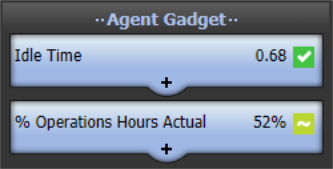
This example shows the KPI Gadget in the concise size.
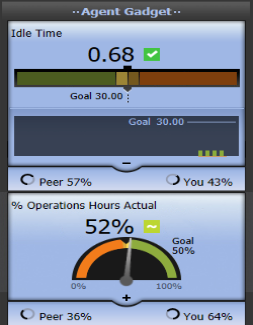
This example shows the KPI Gadget in the detailed size.
Installing the KPI Gadget client - Desktop Gadget Optional feature, available on top of Scorecards, that provides a Desktop-based interface for employees to view their performance on their desktop. (Desktop Applications Deployment and Reference Guide)
Using the KPI Gadget (Scorecards Product that assists agents, supervisors and all contact center employees to focus on critical aspects of their performance and identify opportunities for improvement. User Guide)