View event request details
You can view the details of your requests, your updated schedule, and the history of actions related to your request activity Core component of both schedules and time records in Workforce Management (WFM). When an employee performs any kind of work, activities specify the scheduled work and capture employee adherence to their schedule..
Procedure
-
Select a request.
-
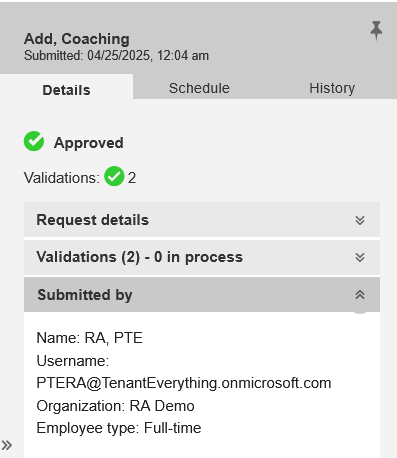
Select the Details tab. Click the tab to expand and collapse them.
The Validations display the status and indicate the number of validations for the request.
Submitted by provides the details of the submitter, such as Username, Organization, Supervisor, and Team Lead.
-
Select the Schedule tab.
The system displays the schedule for the selected date in list view. To view the schedule for seven days before the selected date, scroll upwards. To view the schedule for seven days after the selected date, scroll downwards. For days that span multiple days, the start time is displayed on the date when the event starts, and the end time is displayed on the date when it ends.
-
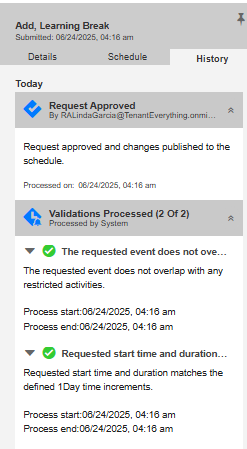
Select the History tab. The History displays the following details:
-
Actions performed on requests - Includes action, role that performed the action, and the time along with any comments. The actions include Request submission, Request approval, and Request denial.
-
Status changes - Displays status changes of the request, such as Pending processing alerts, Pending, Under review, Pending with new alerts, Denied, Approved, Expired (For all status we have an associated expired status) - along with the time when the change happened and associated user who performed the action, if applicable.
-
Validation results - Displays the time they are processed including short text and long text.
-